08. Adding markers on POI click
L4 A07 Add A POI Listener
Reference Documentation
Add POI listener
By default, points of interest (POIs) appear on the map along with their corresponding icons. POIs include parks, schools, government buildings, and more. When the map type is set to normal, business POIs also appear on the map. Business POIs represent businesses such as shops, restaurants, and hotels.
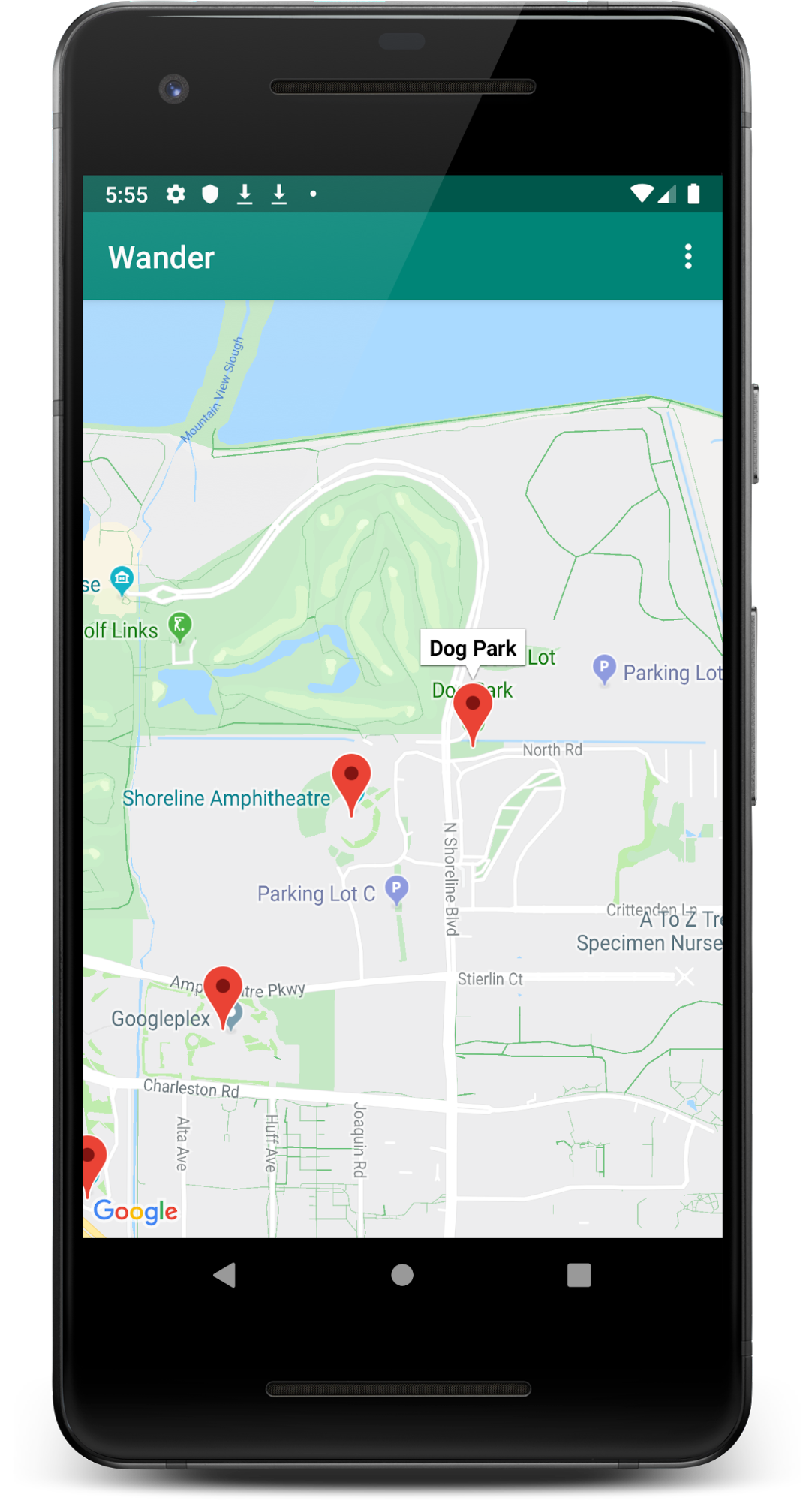
In this step, you add an OnPoiClickListener to the map. This click-listener places a marker on the map immediately when the user clicks on a POI. The click-listener also displays the info window that contains the POI name.
- Create a method stub in
MapsActivitycalledsetPoiClick()that takes aGoogleMapas an argument. In thesetPoiClick()method, set anOnPoiClickListeneron the passed-inGoogleMap:
private fun setPoiClick(map: GoogleMap) {
   map.setOnPoiClickListener { poi ->

   }
}- In the
onPoiClick()method, place a marker at the POI location. Set the title to the name of the POI. Save the result to a variable calledpoiMarker.
private fun setPoiClick(map: GoogleMap) {
   map.setOnPoiClickListener { poi ->
       val poiMarker = map.addMarker(
           MarkerOptions()
               .position(poi.latLng)
               .title(poi.name)
       )
   }
}- In
setOnPoiClickListenerfunction, callshowInfoWindow()onpoiMarkerto immediately show the info window.
poiMarker.showInfoWindow()The function should look like this:
private fun setPoiClick(map: GoogleMap) {
   map.setOnPoiClickListener { poi ->
       val poiMarker = map.addMarker(
           MarkerOptions()
               .position(poi.latLng)
               .title(poi.name)
       )
       poiMarker.showInfoWindow()
   }
}- Call
setPoiClick()at the end ofonMapReady(). Pass inmap.
override fun onMapReady(googleMap: GoogleMap) {
   …

   setPoiClick(map)
}- Run your app and find a POI such as a park or a coffee shop. Tap on the POI to place a marker on it and display the POI's name in an info window.